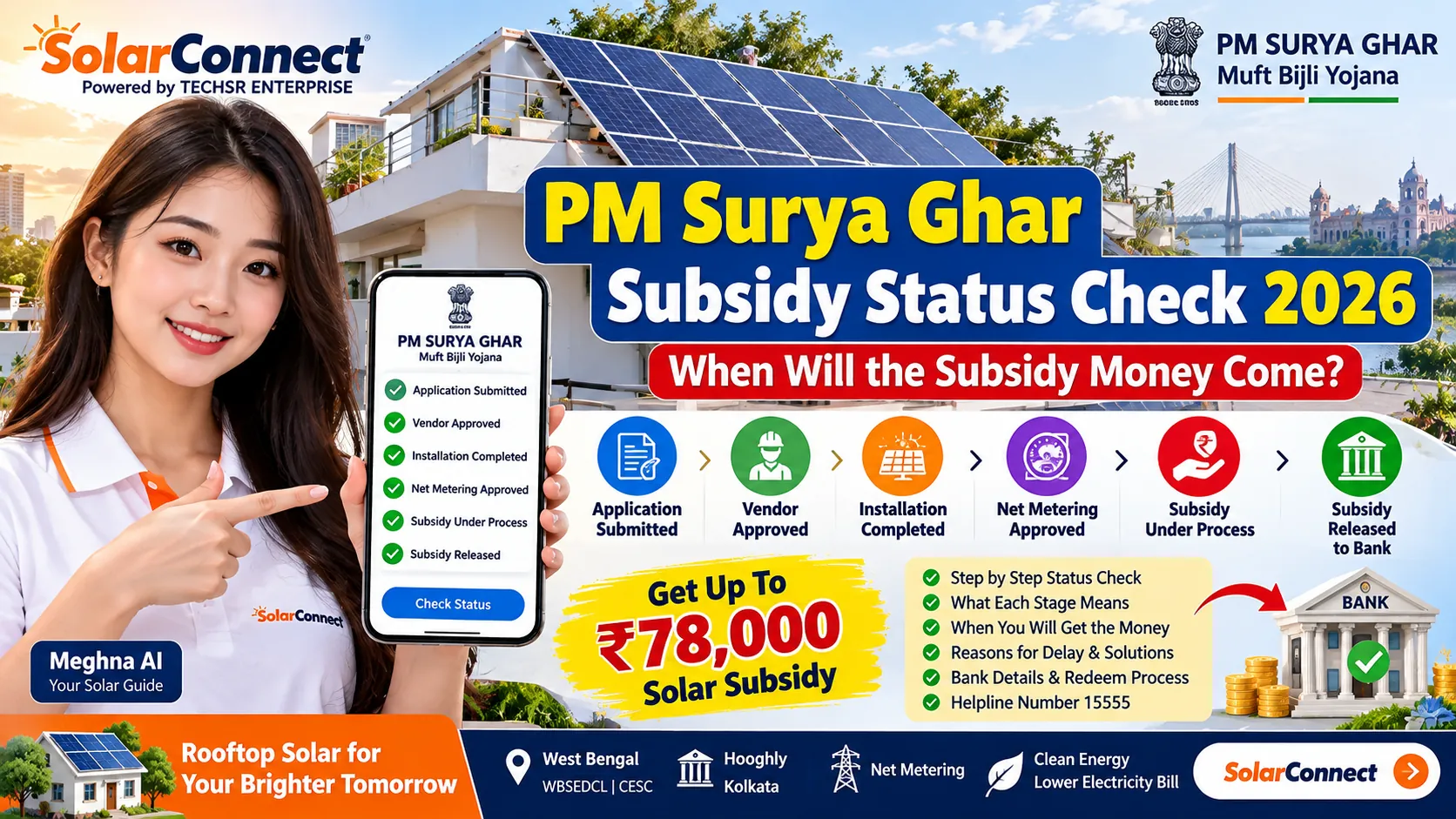
PM Surya Ghar Subsidy Status Check 2026: When Money Comes
PM Surya Ghar subsidy status check 2026: track every portal stage, see when money reaches your bank, fix common delays. Step-by-step — check now.
PM Surya Ghar Subsidy Status Check 2026: How to Track Your Application and Know When the Money Comes
Quick answer: Log in at pmsuryaghar.gov.in with your registered mobile number and OTP, then open your application to see its current stage. The subsidy is released only after your DISCOM inspects the plant and approves it, you submit your bank details and you redeem the subsidy on the portal. The scheme guidelines say the subsidy (CFA) is processed within 15 days of DISCOM approval. If it is delayed after that, raise a grievance on the portal or call the national helpline 15555.
Not applied yet? Estimate your amount with our free PM Surya Ghar subsidy calculator.
Thousands of families applied for rooftop solar under PM Surya Ghar: Muft Bijli Yojana. Now most of them are asking the same thing: "Where is my subsidy?" This guide shows how to check your status, what each stage means, why money gets stuck and what to do at each step. It is written for homeowners in West Bengal and across India.
How Much Subsidy Should You Receive?
First, check the amount you are waiting for. The central subsidy (Central Financial Assistance, or CFA) for residential rooftop solar is:
| System size | Central subsidy (general category states) | How it is calculated |
|---|---|---|
| 1 kW | ₹30,000 | ₹30,000 per kW |
| 2 kW | ₹60,000 | ₹30,000 × 2 kW |
| 3 kW and above | ₹78,000 (maximum) | ₹60,000 + ₹18,000 for the 3rd kW |
Special category states and UTs have higher rates, and some states add their own top-up. For your state's figures, see our state-wise solar subsidy guide, and always confirm the latest amount on the official portal or with your DISCOM.
Step-by-Step: How to Check PM Surya Ghar Subsidy Status
- Open the official portal: go to pmsuryaghar.gov.in. Use only this government website. Our PM Surya Ghar official website guide explains how to spot fake sites.
- Click Consumer Login: enter the mobile number you registered with, fill in the captcha and type the OTP.
- Open your application: your dashboard shows the application ID and the stages completed so far.
- Read the current stage: use the table below to see what is done and what is pending.
- Check your SMS and email: the portal sends updates to your registered mobile and email, including remarks if something is rejected.
- Act on any pending item: for example, upload a missing document, submit bank details or click Redeem Subsidy.
What Each Stage Means and Who Has to Act
The wording on your dashboard may differ slightly, but every application goes through these stages:
| Stage | What it means | Who acts next |
|---|---|---|
| Registration and application submitted | Your consumer number and details are linked to the portal | DISCOM (feasibility, where applicable) |
| Feasibility approved | The DISCOM agrees your connection can take rooftop solar | You (choose a registered vendor) |
| Vendor selected and agreement uploaded | Work can start with a vendor registered for your DISCOM | Vendor (installation) |
| Installation details submitted | Panel, inverter and plant details are uploaded | DISCOM (net meter and inspection) |
| Inspection and commissioning | The DISCOM checks the plant and the net meter is installed | DISCOM (approval) |
| Bank details submitted | Your account and cancelled cheque or passbook are on record | You (redeem subsidy) |
| Subsidy redeemed / e-token generated | The claim is sent for payment | Government payment system |
| Subsidy credited | Money reaches your bank account (or loan account) | Done |
If your status has not moved for weeks, check which column says "you". Many applications stop because the consumer has not submitted bank details or clicked Redeem Subsidy.
When Does the Subsidy Money Actually Come?
The subsidy is not paid when you apply or when the panels go up. It is paid at the end of the process:
- Trigger: the DISCOM must inspect the plant and approve it after the net meter is installed.
- Official timeline: the scheme guidelines say the CFA is processed within 15 days of approval by the DISCOM.
- Where it goes: the subsidy goes to the bank account you submitted. If you took a solar loan under the scheme, it goes to your loan account first, and any amount above the outstanding loan comes to your savings account.
- Real-world timing: installation, net metering and inspection timelines differ by DISCOM and season, so we do not promise a fixed number of days. Your portal dashboard is the only reliable source.
West Bengal: WBSEDCL vs CESC Status Checks
In West Bengal, the DISCOM named on your electricity bill handles feasibility, the net meter and inspection, so your status depends on that office.
| Point | WBSEDCL (most of West Bengal, including Serampore and Hooghly) | CESC (Kolkata and some nearby areas) |
|---|---|---|
| Where you check status | PM Surya Ghar portal (same national portal) | PM Surya Ghar portal (same national portal) |
| Who does the net meter and inspection | Your local WBSEDCL office | CESC |
| Consumer number to use | As printed on your WBSEDCL bill | As printed on your CESC bill |
| If inspection is pending | Follow up with your WBSEDCL customer care centre | Follow up with CESC customer service |
Any West Bengal state top-up or local rule can change, so confirm it with your DISCOM or WBREDA before counting it in your budget. For the metering side, read our CESC vs WBSEDCL net metering guide for Kolkata and Hooghly.
Common Reasons Why the Subsidy Is Delayed
- Bank details not submitted: the subsidy cannot move without your account details and a cancelled cheque, passbook or e-statement.
- Name mismatch: the name on the bank account does not match the name on the electricity connection or application.
- Wrong IFSC or account number: the payment bounces back with a remark. The portal lets you update bank details after a payment-system remark.
- Redeem Subsidy not clicked: after approval, you must claim the subsidy on the portal.
- Inspection pending: the DISCOM has not yet inspected the plant or commissioned the net meter.
- Installation details incomplete: missing panel serial numbers, photos or inverter details, which your vendor must fix.
- Non-DCR panels used: the scheme requires domestic content (DCR) panels. Read DCR vs non-DCR panels before you buy.
Common Mistakes to Avoid
- Applying with a mobile number you do not use, then missing the OTP and SMS updates.
- Paying an agent who says they can "speed up" the subsidy. There is no paid fast-track. Use only the portal and official channels.
- Choosing a vendor who is not registered for your DISCOM on the national portal.
- Giving a bank account in another family member's name.
- Starting installation before the feasibility or vendor step is complete on the portal.
- Not keeping copies of the agreement, invoice and commissioning documents.
Subsidy Still Not Received? Do This
- Log in and confirm that the stage shows approved and redeemed, not just "installed".
- Check your SMS and email, and any remark on the portal, for bank errors.
- If there is a bank remark, update your bank details on the portal and submit again.
- If more than 15 days have passed since DISCOM approval with no remark, raise a grievance on the portal with your application ID and note the tracking ID.
- Call the national helpline 15555 and quote your application ID.
- If inspection is pending, contact your DISCOM office (WBSEDCL or CESC in West Bengal) and ask your vendor to follow up.
Quick Summary
| Question | Short answer |
|---|---|
| Where to check status? | pmsuryaghar.gov.in, Consumer Login with mobile number and OTP |
| When is the subsidy paid? | After DISCOM approval, bank details and Redeem Subsidy |
| Official processing time? | Within 15 days of DISCOM approval, as per scheme guidelines |
| Maximum central subsidy? | ₹78,000 for 3 kW and above (general category states) |
| Who to contact for delays? | Portal grievance, helpline 15555 or your DISCOM |
How SolarConnect Helps Hooghly and Kolkata Homes
SolarConnect, based in Serampore, Hooghly, handles the site survey and installation for rooftop solar under PM Surya Ghar. Pro Power Energies is the registered vendor on the national portal. Our team helps you upload the right installation details, follow up on net metering and understand what your status means, so your file does not get stuck at a step you can fix.
Not sure what size you need? Try the free solar calculator, read the PM Surya Ghar scheme page or browse the solar FAQ. If you are just starting, our PM Surya Ghar application and loan guide walks through the full process.
Talk to the SolarConnect Team
Stuck at a stage or planning a new rooftop system? Our team will check your situation and explain the next step at no cost.
📞 Call the SolarConnect team: 033 3183 5203 | 💬 WhatsApp the team | ✉️ Contact form
Note: Scheme rules, amounts and timelines can change. This guide is based on official PM Surya Ghar guidelines and portal information as of October 2026. Always confirm on pmsuryaghar.gov.in or with your DISCOM.
Planning a new system? Check the latest solar panel price in India and see if a 3kW system can run a 1.5 ton AC. Solar installers and electricians can become a SolarConnect dealer.
Frequently Asked Questions
How can I check my PM Surya Ghar subsidy status?
Go to pmsuryaghar.gov.in, click Consumer Login, and enter your registered mobile number, the captcha and the OTP. Open your application to see its current stage and any remarks.
How many days does it take to get the PM Surya Ghar subsidy?
The scheme guidelines say the subsidy is processed within 15 days of DISCOM approval. The total time from application to payment depends on installation, net metering and inspection by your DISCOM.
Why is my PM Surya Ghar subsidy not received yet?
The most common reasons are missing or wrong bank details, a name mismatch, not clicking Redeem Subsidy, or a pending DISCOM inspection. Check the remarks on the portal, fix the issue, and raise a grievance if it is still stuck.
What is the PM Surya Ghar helpline number?
The national helpline number is 15555. You can also raise a grievance on the portal after logging in, and you will get a tracking ID for it.
Does the subsidy go to my bank account or my loan account?
It goes to the bank account you submitted on the portal. If you financed the system with a loan under the scheme, the subsidy goes to your loan account first, and any extra amount is paid to your bank account.
How do I check my subsidy status if I am a WBSEDCL or CESC consumer?
Both WBSEDCL and CESC consumers check status on the same PM Surya Ghar national portal. Your DISCOM handles the net meter and inspection, so contact your local office if that step is pending.
How much subsidy will I get for a 3 kW rooftop solar system?
In general category states, the central subsidy for 3 kW is ₹78,000 (₹30,000 per kW for the first 2 kW plus ₹18,000 for the 3rd kW). Some states add a top-up, so check the portal or your DISCOM.
Source: SolarConnect India – solar.thetechsr.com
Back to Solar Blog